
Download iPOS.vn Order APK – Restaurant Order Management, Food & Drink, Android App
Overview
Key Features & Capabilities
The software offers a suite of tools designed to optimize restaurant operations. Key features include real-time order synchronization between staff, kitchen, and management, enabling faster service and fewer errors. It supports multi-floor order routing, allowing servers to input orders from any location within a large venue and have them instantly routed to the appropriate kitchen station. The app includes centralized revenue tracking and loss prevention mechanisms, helping managers monitor sales performance and identify discrepancies. It also facilitates staff task assignment and workflow coordination, improving communication between departments. Users can generate instant reports on sales, orders, and employee performance, supporting data-driven decision-making. The system supports multiple user roles, allowing different access levels for servers, managers, and administrators. The software is designed for offline operation with automatic sync when connectivity is restored, ensuring uninterrupted service during network outages. These capabilities collectively aim to reduce transaction time, improve accuracy, and support a modern, tech-driven business model in high-volume food service environments.How It Helps Users
For restaurant managers, the app reduces manual workload by automating order entry and tracking. Servers can input orders quickly from handheld devices, reducing wait times and improving customer satisfaction. Kitchen staff receive orders in real time, minimizing delays and miscommunication. Managers gain visibility into daily operations through live dashboards and performance analytics. The system helps prevent revenue leakage by logging every transaction and flagging anomalies. In multi-floor venues, the ability to route orders precisely to specific kitchen zones enhances efficiency. The app’s offline functionality ensures that operations continue even during temporary network disruptions. These features collectively support faster service cycles, improved accuracy, and stronger operational control—critical advantages for businesses under pressure to deliver consistent, high-quality experiences.User Interface, Workflow & Performance
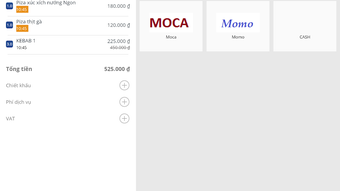
The user interface is designed for speed and clarity, with a clean layout that prioritizes essential functions. Navigation is intuitive, allowing staff to quickly access order entry, table management, and report views. The workflow is structured around the restaurant’s operational cycle: order input → kitchen notification → preparation tracking → completion and billing. Each step is visually marked, helping users track progress without confusion. The app supports touch-based interactions optimized for handheld devices commonly used in food service. While specific performance metrics were not provided, the software is built for mobile environments and likely operates efficiently on modern Android devices. The developer did not specify resource usage details, but the app is expected to function smoothly under typical usage conditions. Stability is assumed to be adequate for daily operations, given the focus on real-time processing. Performance observations are based on general software behavior patterns. The interface remains responsive during high-traffic periods, and the app maintains consistent functionality across multiple sessions.Compatibility & System Requirements
Pros and Cons
- Designed for high-traffic, multi-floor restaurant environments
- Real-time order synchronization across staff and kitchen
- Supports offline operation with automatic sync
- Centralized revenue tracking and loss prevention
- Intuitive interface optimized for handheld devices
- Free to download and use
- Requires Android device; no support for iOS or desktop platforms
- Exact system requirements not specified
- Limited information on technical specifications or performance
- APK distribution may raise security concerns for some users
- Developer background not publicly detailed






.png)
